How to Create and Upload a Video to an Assignment

Last updated: Sep 29, 2026
2074
views

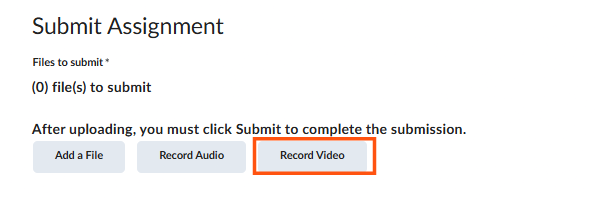
Begin by clicking on the assignment you'd like to submit. Scroll down to the Submit Assignment section, then click the "Record Video" button.
This will open a pop-up window where you can record your video. Click New Recording to record your desired content.
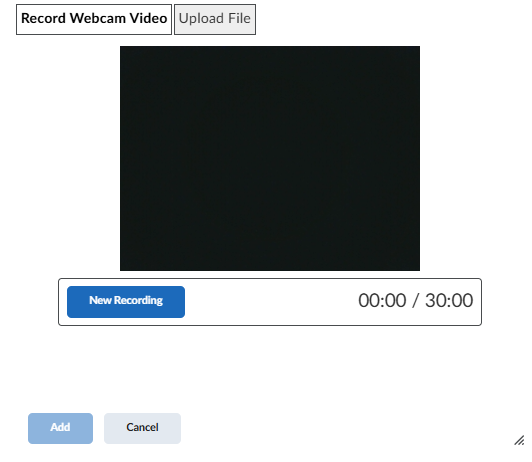
Note: If you want to use a previously recorded video, select Upload File in the pop-up window and follow the prompts.
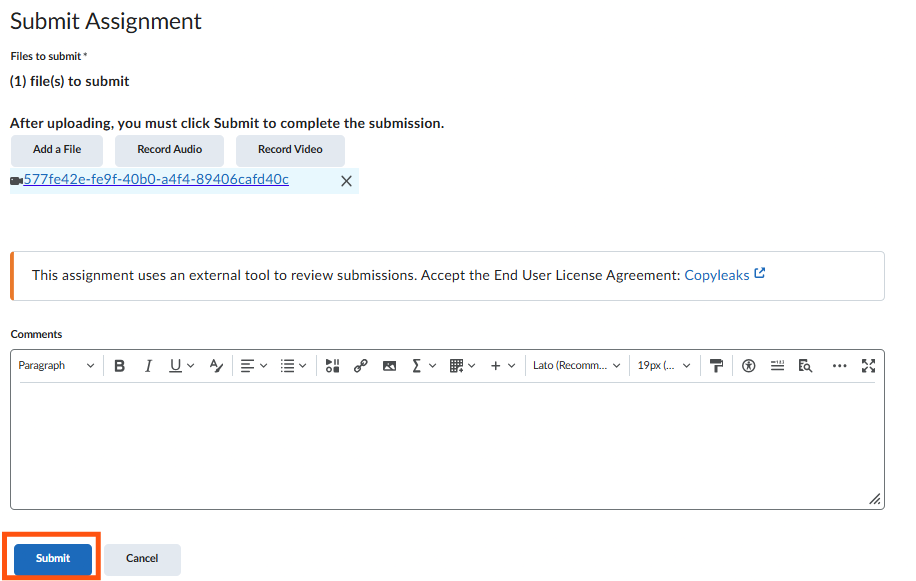
Once you are finished recording your video, follow the prompts to add a title and description, there will also be the option to have automatically generated captions, then click the blue "Add" button.
Finally, click on the blue "Submit" button.