

How to Create an On Paper or Observed in Class Assignment or Exam

Last updated: Feb 11, 2026
662
views

Begin by creating a new assignment. In the "Submission & Completion" settings at the right of the page, click the "Submission Type" dropdown and choose on paper or in class:
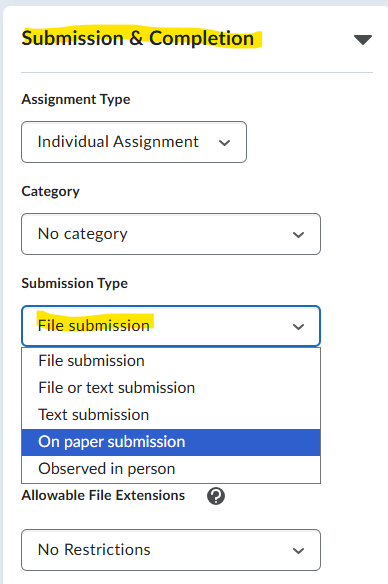
Rubrics, outcomes, grades, due dates, and attachments can be enabled, but students will not be able to upload or submit to the assignment. This same process can be used to create a quiz or exam placeholder in My Courses that connects to outcomes, the grade book, and due dates.

